Notepad++
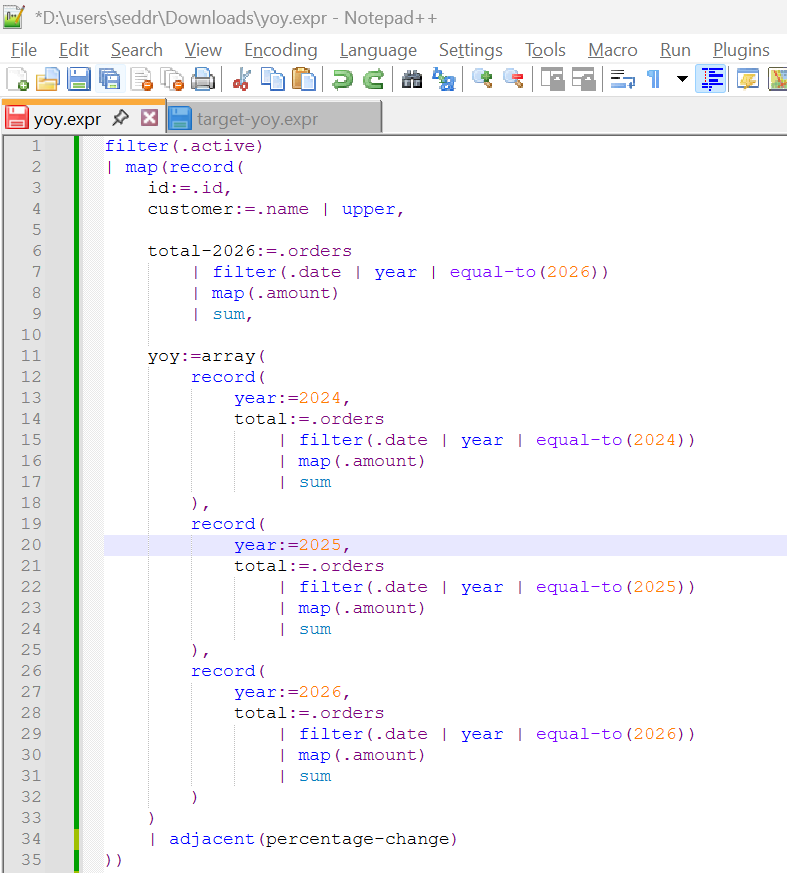
Expressif provides a Notepad++ user-defined language (UDL). It adds syntax highlighting for Expressif without requiring a Notepad++ plugin.
Download
Download expressif-syntax-<version>-notepadpp.xml from the matching version on the GitHub Releases page.
Install the language definition
- Open Notepad++.
- Select Language > User Defined Language > Define your language.
- Select Import, then choose the downloaded XML file.
- Restart Notepad++ if Expressif does not immediately appear in the Language menu.
Notepad++ automatically applies the language definition to .expr and .expressif files. You can also select Expressif from the Language menu for a file with another extension.
The UDL highlights functions, predicates, accumulators, constants, operators, strings, and numbers. This includes the :> input-binding operator and named references such as @value. Because a Notepad++ UDL cannot classify a word from a marker that follows it, bare names declared before :> retain the default text style. Its colors follow your Notepad++ theme and can be customized from the user-defined language dialog.
Example